When it comes to optimizing your website for search engines, you’ve probably heard of terms like backlinks, internal links, and on-page SEO. However, one aspect that often gets overlooked is orphan pages. These pages may be silently harming your website’s SEO potential without you even realizing it. So, what exactly are orphan pages, and how can you fix them?
In this blog, we’ll dive deep into the concept of orphan pages, explain why they can hurt your SEO efforts, and share actionable steps on how to identify and fix them.
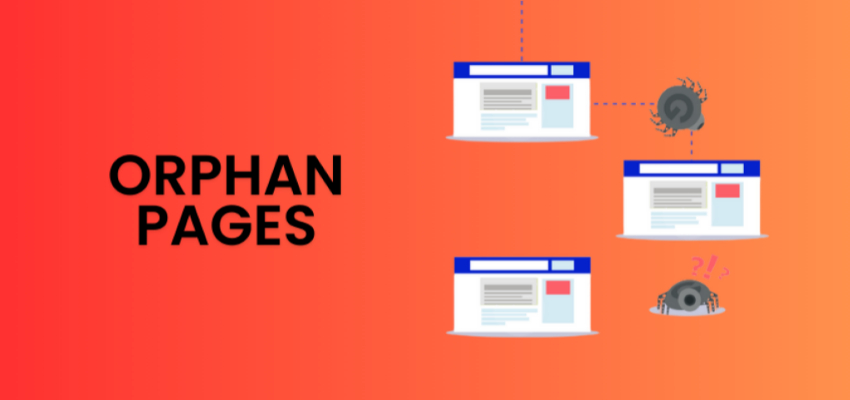
What Are Orphan Pages?
Orphan pages are pages on your website that are not linked to by any other page, either internally or externally. This means that there are no other pages on your website that point to these orphan pages, making it difficult for search engines and users to discover and navigate them.
Typically, orphan pages are isolated from the rest of your site’s structure, which means they are not part of your website’s internal linking strategy. This lack of connectivity can have serious consequences for your website’s search engine rankings and user experience.
Why Orphan Pages Are a Problem for SEO
Orphan pages can pose several problems for both your SEO performance and website usability. Let’s take a look at why these pages can be detrimental:
1. Search Engines Can’t Find Them
Since orphan pages aren’t linked internally, search engine crawlers may not be able to discover them. Without proper internal links, search engines might not index these pages, which means they won’t appear in search engine results pages (SERPs), making them virtually invisible.
2. Lower Crawl Budget Efficiency
Search engines have a finite crawl budget, which is the amount of time and resources they allocate to crawling your website. If search engine crawlers spend time trying to index orphan pages that don’t have any internal links pointing to them, it can lead to inefficient use of the crawl budget. This might mean that other, more important pages of your website are not crawled as often or effectively.
3. Poor User Experience
Orphan pages can also harm your website’s user experience. Without links from other pages, visitors may struggle to find these pages. This can lead to high bounce rates and a low time on site, both of which can negatively impact your SEO rankings.
4. Missed Link Equity Opportunities
Internal linking helps distribute link equity (the value passed through links) across your website. Orphan pages miss out on this valuable link equity because they are not linked to by any other pages. This can prevent them from achieving better rankings and visibility in search engines.
How to Identify Orphan Pages
Identifying orphan pages can be a bit tricky, but with the right tools and approach, it’s entirely manageable. Here are a few ways to identify orphan pages:
1. Use a Website Crawler Tool
Website crawlers like Screaming Frog SEO Spider or Sitebulb can scan your entire website and provide a report of all the pages that exist on your site. These tools will also identify pages that have no internal links pointing to them, helping you identify orphan pages.
2. Google Search Console
Google Search Console is another useful tool for identifying orphan pages. It can show you which pages are indexed and which ones are not. If you see that some pages are not indexed, they might be orphan pages that need to be linked from other parts of your site.
3. Check Your Sitemap
Your website’s XML sitemap lists all the pages on your site that are meant to be indexed. If any pages in your sitemap don’t appear in your internal linking structure, they may be orphan pages.
4. Manual Check
If you have a small website, you might be able to manually check for orphan pages by reviewing your internal linking structure. This is feasible for smaller websites, but for larger sites, a website crawler tool is recommended.
How to Fix Orphan Pages
Now that you understand what orphan pages are and how they can harm your website’s SEO, let’s look at how you can fix them.
1. Create Internal Links to the Orphan Pages
The most straightforward way to fix orphan pages is by creating internal links to them from other relevant pages on your website. This helps search engines discover and index these pages, and it improves the user experience by making them accessible from other areas of your site.
When creating internal links, make sure they are contextual and relevant. Linking orphan pages to unrelated pages can confuse both users and search engines. For example, if you have a blog post about SEO for small businesses, it would make sense to link to an SEO services for small businesses page from that post.
2. Add Orphan Pages to Your Navigation or Menus
If the orphan page is important and should be easily accessible, consider adding it to your site’s navigation or footer menu. This makes it visible to both users and search engines, ensuring it is properly indexed.
3. Submit the Page to Google Search Console
If you’ve identified an orphan page that you can’t link to immediately, you can still manually submit it for indexing through Google Search Console. This ensures that Google knows about the page and can crawl and index it.
4. Ensure Proper Website Structure and Internal Linking Strategy
To prevent orphan pages from appearing in the future, ensure that your website has a clear site architecture with a solid internal linking strategy. Use breadcrumbs, related post links, and other internal linking tactics to make sure every important page is linked to multiple other pages.
5. Delete Irrelevant Orphan Pages
If the orphan page has no purpose or isn’t relevant to your site’s goals, it might be a good idea to remove it altogether. If a page isn’t adding value, deleting it can help improve your site’s SEO performance by reducing clutter and improving the overall user experience.
How CG Marketing Can Help
At CG Marketing, we understand the complexities of SEO and how critical internal linking is for website performance. Our expert SEO services include website audits, site architecture optimization, and internal linking strategies to ensure that your site’s structure is efficient and that orphan pages are eliminated.
We specialize in SEO for Real Estate and SEO for Law Firms, ensuring that your website is structured to drive visibility, improve rankings, and provide an excellent user experience.
Conclusion
Orphan pages can severely impact your website’s SEO performance, but they are not a lost cause. By identifying these pages and implementing an effective internal linking strategy, you can ensure that all pages on your website are discoverable by search engines and accessible to users. Fixing orphan pages not only improves your website’s SEO but also enhances the overall user experience, leading to higher rankings, more traffic, and better conversion rates.
FAQs
1. What are orphan pages?
Orphan pages are web pages that are not linked to by any other pages on your website. These pages can’t be discovered easily by search engines and can harm your SEO performance.
2. How do orphan pages affect SEO?
Orphan pages can prevent search engines from indexing them, lower crawl budget efficiency, and result in missed link equity opportunities. They can also negatively impact user experience and site navigation.
3. How can I identify orphan pages?
You can use website crawlers like Screaming Frog SEO Spider or Google Search Console to identify orphan pages on your site.
4. How do I fix orphan pages?
To fix orphan pages, create internal links to them, add them to your site’s navigation, and ensure your site architecture is optimized. In some cases, you may decide to remove irrelevant orphan pages.
5. How can CG Marketing help with orphan pages?
At CG Marketing, we can conduct a full website audit to identify orphan pages and implement a robust internal linking strategy to ensure all important pages are indexed and accessible.