Redirects are a crucial component of any SEO strategy. Whether you’re rebranding, migrating to a new domain, or consolidating pages, redirects help preserve your SEO value and ensure that users and search engines are sent to the right location. In this blog, we’ll explore the different types of redirects, when to use them, and how they impact SEO.
What Are Redirects?
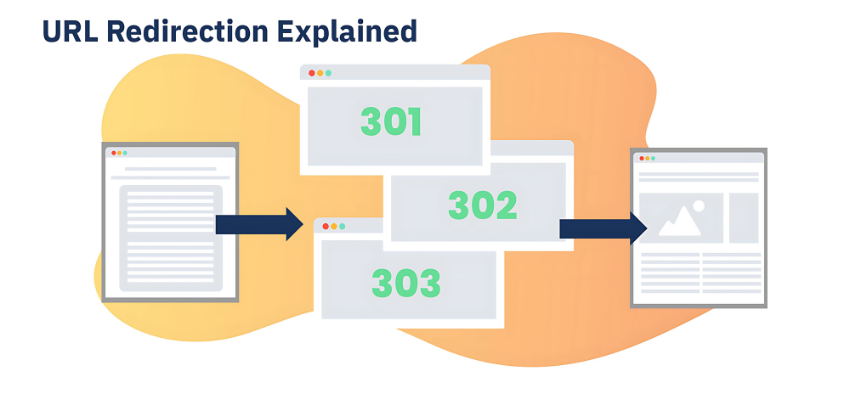
A redirect is a technique used to forward one URL to another. When a page is deleted, moved, or replaced by new content, a redirect helps ensure that users and search engines can still find the page they’re looking for. If implemented correctly, redirects help maintain SEO rankings and user experience.
In SEO, redirects are essential because they prevent 404 errors, which occur when a user tries to visit a page that no longer exists. By setting up redirects, you guide both users and search engines to the new, relevant page, thus preserving traffic and ranking signals from the original page.
Types of Redirects
301 Redirect (Permanent Redirect)
The 301 redirect is the most commonly used type in SEO. It indicates to search engines that a page has been permanently moved to a new URL. The key advantage of a 301 redirect is that it passes link equity (or SEO value) from the old page to the new one, ensuring that your rankings are preserved.When to Use 301 Redirect:
When a page has been permanently moved.
When consolidating multiple pages into one.
When changing your domain or URL structure.
Impact on SEO:
A 301 redirect passes most of the link equity, which helps maintain rankings and SEO value for the new page. For a deeper dive into this, check out our guide on how to improve Domain Authority to understand how redirects play into maintaining SEO value.302 Redirect (Temporary Redirect)
A 302 redirect is used when a page is temporarily moved and will return to its original location later. Unlike the 301 redirect, the 302 does not pass link equity to the new page.When to Use 302 Redirect:
For temporary changes, like a seasonal promotion.
During site maintenance or testing.
When redirecting to a temporary page.
Impact on SEO:
Since it’s temporary, a 302 redirect does not pass link equity, so the original page retains its ranking signals.307 Redirect (Temporary Redirect – HTTP 1.1)
Similar to the 302, the 307 redirect is specifically for HTTP 1.1. It ensures that the HTTP request method (GET or POST) is preserved during the redirect.When to Use 307 Redirect:
For temporary redirects on sites using HTTP 1.1.
When you need to maintain the original request method.
Impact on SEO:
Similar to the 302, the 307 redirect does not pass link equity and is used for temporary moves.Meta Refresh
A meta refresh is a client-side redirect that uses HTML to automatically refresh a page after a short delay, usually a few seconds. It is not recommended for SEO, as it can delay the user experience and doesn’t pass link equity as efficiently as server-side redirects like 301.When to Use Meta Refresh:
Rarely, and only when necessary.
Can be used for redirecting after a few seconds on certain landing pages.
Impact on SEO:
Meta refreshes are not ideal for SEO and should be avoided in favor of server-side redirects like 301.
Why Redirects Matter for SEO
Redirects are essential for preserving SEO value when moving or consolidating pages. Here are some reasons why redirects are important for SEO:
Preserve Link Equity
When a page is redirected using a 301 redirect, link equity (or the value passed through backlinks) is preserved and transferred to the new page. This helps maintain the rankings of the old page.Avoid Broken Links
Without redirects, users who click on old links will encounter a 404 error, which is bad for both user experience and SEO. Redirects ensure users are always sent to the right page.Improve User Experience
Redirects ensure that users are not met with a broken page. Instead, they are smoothly redirected to the correct destination, maintaining a seamless browsing experience.Prevent Duplicate Content Issues
Redirects are useful when consolidating pages with similar content. By redirecting the old page to the new one, you prevent duplicate content from being indexed by search engines, which could hurt your SEO. If you’re merging pages, make sure to leverage the best WordPress Themes for SEO to enhance your site’s performance throughout the consolidation.
When Should You Use Redirects?
Redirects are most often used in the following situations:
When you move a page to a new URL or domain: If you’re migrating content or rebranding your website, you’ll want to set up redirects to ensure that traffic and SEO value are preserved.
When you delete a page: If you’re removing content, it’s a good practice to redirect the old page to a relevant, similar page, so users aren’t left with 404 errors.
During website restructuring: If you’re changing your website’s navigation or URL structure, redirects will ensure that users and search engines can still find the content they’re looking for.
When consolidating pages: If two pages have similar content, it’s a good idea to merge them into one and set up a redirect from the old page to the new one.
Best Practices for Redirects
Avoid Redirect Chains
A redirect chain occurs when one URL redirects to another, which then redirects to another, and so on. This can create unnecessary delays and cause SEO value to be lost. Always set up a direct redirect to the final destination page.Use 301 Redirects for Permanent Changes
Always use a 301 redirect when moving or deleting pages permanently. This will pass most of the link equity to the new URL.Regularly Check Redirects
Over time, redirects can break or become outdated. Regularly audit your redirects to ensure they are still working properly and that you aren’t redirecting to irrelevant pages.Update Internal Links
After setting up redirects, remember to update any internal links that point to that old URL. This ensures a smoother experience for both users and search engines.Monitor Redirects with Google Search Console
Google Search Console provides insights into your website’s performance, including issues with redirects. It helps you ensure that your redirects are being implemented correctly and that no 404 errors are affecting your rankings.
How to Implement Redirects
Via .htaccess (Apache Servers):
Add 301 redirects in your.htaccessfile for permanent redirects.Example:
Redirect 301 /old-page https://www.example.com/new-page
Via Nginx Config (Nginx Servers):
Use Nginx config files to set up redirects.Example:
rewrite ^/old-page$ https://www.example.com/new-page permanent;
- Using WordPress Plugins:
WordPress users can take advantage of plugins like Redirection to set up redirects from the WordPress dashboard without needing to edit code.
Common Redirect Mistakes to Avoid
Using the Wrong Redirect Type
Always use a 301 redirect for permanent changes. A 302 should only be used for temporary moves, as it does not pass link equity.Redirecting to Irrelevant Pages
Ensure that the destination of the redirect is relevant to the old page’s content. Redirecting to an unrelated page can confuse users and search engines.Forgetting to Update Internal Links
After setting up redirects, ensure that all internal links pointing to that old URL are updated to the new one. This ensures that users and search engines are sent to the new page directly.
FAQs About Redirects
1. How long does it take for a redirect to take effect?
Redirects are typically effective immediately, but it may take Google some time (a few days to a week) to process and reflect the change in its index.
2. Will 301 redirects pass all link equity to the new URL?
A 301 redirect passes most, but not all, of the link equity. It’s the best option for preserving rankings and SEO value when moving content.
3. Can I use multiple redirects for one URL?
It’s best to avoid redirect chains. Always aim to set up a direct redirect to the final destination page to preserve SEO value and improve user experience.
4. How do I know if my redirects are working?
Use tools like Google Search Console or Screaming Frog SEO Spider to test your redirects and ensure that they’re functioning correctly.
5. Are meta refresh redirects bad for SEO?
Yes, meta refresh redirects should be avoided for SEO purposes as they don’t pass link equity as effectively as server-side redirects like 301.
Conclusion
Redirects are vital for maintaining your SEO rankings and user experience when moving or restructuring your content. Implementing the right type of redirect, regularly monitoring your redirects, and following best practices will help you preserve SEO value, improve your website’s performance, and ensure that users can easily find the content they’re looking for.
Need help implementing redirects or improving your SEO strategy? Contact us today for expert assistance.