In the ever-changing world of SEO, even the smallest file can make a big difference. One such file is robots.txt. It sits quietly at the root of your website, yet it determines how search engines crawl your content. Done right, it improves crawl efficiency, saves resources, and keeps unimportant or duplicate content out of Google’s index. Done wrong, it can block your best money pages from ranking.
In this guide, we’ll break down everything you need to know about robots.txt in 2025, including best practices, safe templates, and advanced tips for modern websites.
What is Robots.txt?
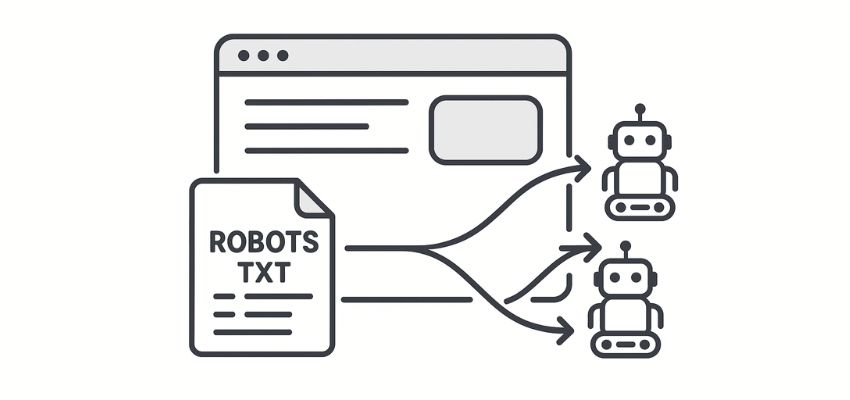
Robots.txt is a plain text file placed in the root directory of your website (e.g., yourdomain.com/robots.txt). It tells search engine bots which parts of your site they can or cannot crawl.
It doesn’t enforce security — bots can still access blocked pages if they know the URL — but it acts as a strong signal to legitimate crawlers like Googlebot and Bingbot.
Think of it as your website’s traffic controller:
“You can enter here.”
“Don’t waste time crawling these sections.”
For example:
User-agent: *
Disallow: /wp-admin/
Allow: /wp-admin/admin-ajax.php
Sitemap: https://example.com/sitemap.xml
Why Robots.txt Matters for SEO in 2025
Google’s AI-first indexing, entity-based SEO, and AI Overviews mean crawl efficiency is critical. Here’s why robots.txt matters more than ever:
Improves Crawl Budget – Focuses bots on your most important pages.
Prevents Thin/Duplicate Content – Stops Google from indexing query parameters or duplicate archives.
Keeps Sensitive Paths Clean – Blocks staging areas, test environments, or system files from showing in search.
Supports AI Overviews – Cleaner site architecture helps AI match your content with user intent.
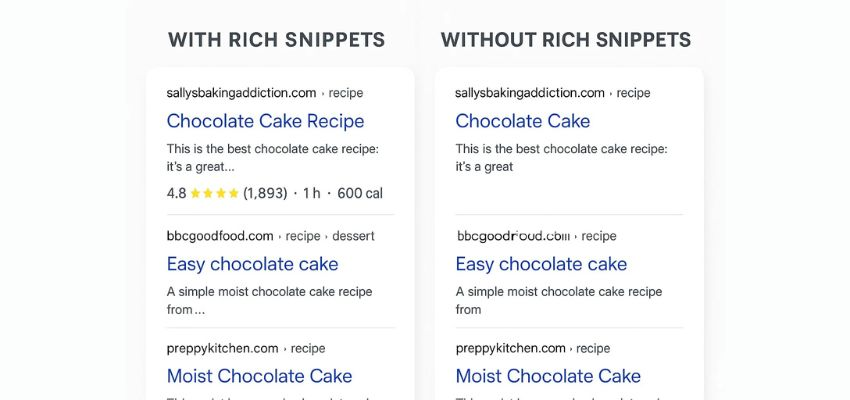
By combining robots.txt with structured data, you give search engines both the rules of the road and the context of your content.
Core Robots.txt Directives
Here are the most important commands you’ll use:
User-agent – Defines which crawler the rules apply to (e.g., Googlebot).
Disallow – Blocks access to a specific directory or file.
Allow – Overrides a Disallow rule for a specific file.
Sitemap – Tells crawlers where your XML sitemap is located.
Wildcards –
*= match any sequence of characters.$= match the end of a URL.
Example:
User-agent: *
Disallow: /private/
Allow: /private/brand-assets/
Disallow: /*?utm_
Sitemap: https://example.com/sitemap.xml
Safe Starter Template
Here’s a common SEO-safe robots.txt for WordPress sites in 2025:
User-agent: *
Disallow: /wp-admin/
Disallow: /cgi-bin/
Disallow: /?s=
Disallow: /?replytocom=
Allow: /wp-admin/admin-ajax.php
Sitemap: https://yourdomain.com/sitemap.xml
Common Use Cases
1. Block Staging Environments
User-agent: *
Disallow: /staging/
Disallow: /beta/
2. Manage E-commerce Facets
User-agent: *
Disallow: /*?color=
Disallow: /*?size=
3. Allow Key Assets
User-agent: *
Disallow: /private/
Allow: /private/brand-assets/
Robots.txt vs Noindex vs Password
Many site owners confuse these. Here’s a quick breakdown:
robots.txt – Stops crawling, but pages may still appear in results without snippets.
Noindex meta tag – Removes a page from Google’s index while still crawlable.
Password protection – The only way to truly block access.
👉 For sensitive data, don’t rely on robots.txt alone.
Best Practices in 2025
Always declare your sitemap inside robots.txt.
Don’t block CSS/JS files needed for rendering.
Avoid over-blocking — test rules before going live.
Separate bot rules for special crawlers (e.g., AdsBot, Bingbot).
Regularly audit your file using Search Console’s crawl stats.
Advanced Tips
Entity SEO & robots.txt – Use robots.txt to block low-value pages and combine it with Entity SEO strategies for better AI connections.
Multi-location SEO – Block internal location filter URLs while keeping Local SEO pages crawlable.
AI Overviews Optimization – Ensure FAQ, HowTo, and structured data pages are crawlable; don’t block them.
Testing & Monitoring
Use these tools:
Google Search Console – Crawl stats & errors.
robots.txt Tester – Deprecated but still available in GSC legacy tools.
Log file analysis – Check bot access in server logs.
Quick Checklist
✅ Sitemap declared
✅ Important assets crawlable
✅ Thin/duplicate pages blocked
✅ Tested in Search Console
✅ Regularly updated
Conclusion
Robots.txt may be a small file, but in 2025 it plays a big role in your SEO success. It helps you guide crawlers, protect crawl budget, and prevent waste — while ensuring your best pages shine in Google’s AI-driven results.
Combine smart robots.txt rules with structured data and keyword research to build a future-proof SEO foundation.
FAQ
Q1: Does robots.txt improve rankings directly?
No. It doesn’t affect rankings directly but helps search engines crawl important pages more efficiently.
Q2: Can robots.txt block my site from showing in Google?
Yes, if misconfigured. For example, Disallow: / blocks the entire site. Always test.
Q3: Should I block duplicate content with robots.txt or noindex?
Use noindex for pages you don’t want in results, and robots.txt for crawl waste like parameters.
Q4: Do I need a robots.txt file?
Yes. Even a basic file with a sitemap declaration is recommended.
Q5: How often should I update robots.txt?
Whenever you change site structure, add new sections, or spot crawl waste in Search Console.